If there's one thing that I love, it's getting all techy and nerdy. Seriously. I obsess over all things fun, interactive, digital and new. I am always on the hunt for new ways to engage my students in learning. I want to share some easy tips that you can use to get your kids using digital learning tools as well so that we can make the day fun and exciting for everyone!
An easy way to add digital elements to your teaching is by using games or apps that will give you instant formative assessment data quickly while also putting technology into the hands of your students.
Some sites/apps that I love using with my 5th graders are...
Kahoot-This website is great! You can use it on computers, tablets, or phones. You can search for public games or you can create your own custom games. We've used these to review PBIS expectations, prepare for a math test, review classroom rules and procedures, and even change up our exit ticket responses at the end of math. The students love playing Kahoot. I'll definitely be using it to help us prepare for the OAKS science test this spring.
Quizziz-This site is similar to Kahoot but it's less teacher-directed. That has its benefits and disadvantages. It's great to use for homework or independent work time.
Plickers-Do you have a hard time using technology because you don't have a lot of it to work with? This site is right for you. Students are given cards with custom codes on them. You just need one device (it can be your cell phone) and you can get instant feedback on students responses. They think it's super fun!
EdPuzzle-I love this site because you can search tons and tons of videos and embed quizzes into them! This is a fun way to change up your instruction so that you can still assess student learning but it feels a lot more fun for the students.
I love doing this! I use a few resources regularly for this. I'll have my students watch a video from Scholastic Study Jams before I teach a concept. This gives them background knowledge and boosts participation in the content. I have them all watch it during a designated period of the day.
I also use videos to preteach math content. This is helpful because the students are ready to start practicing right away during our math block. Less time is spent learning the procedure and more time is spent with teacher guidance while practicing the procedure. I find many of these videos on YouTube or Khan Academy.
Love partner work but hate the noisy, off task chaos?! This is for you! I love using digital partnering. This gets students typing and working instead of hanging out and wasting time.
Right now, I have my gifted students working on a project with other gifted students across the country! They have digital meetings and are collaborating on a shared document! It's super fun and gets the students really excited!
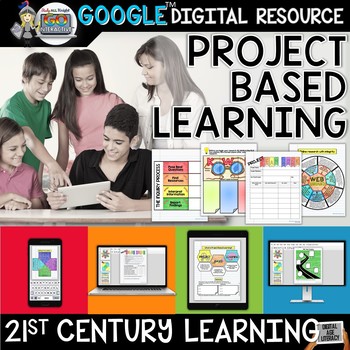
I incorporate Google Drive into most of my teaching in one form or another. I have students type their work regularly. I've taught them how to enter graphics, create flow charts, create tables, etc. Anything can be turned into a Google Docs lesson. You just need to keep that end game in mind!
I also have a few digital lessons that are implemented with Google Drive. I love using these because it reduces paper waste in my school...which is also friendly for our budget. Plus, the typed work is easier to read than the papers that my students usually turn in. The change of pace keeps students engaged and ready to learn (even if they might flip the tab to YouTube while I'm not looking...yes...I'm not naive...).
You can check out some fun Google Drive resources here. These products will make it super easy to put some digital learning into place for digital learning day!
I brought a volunteer in a few months ago to do some coding with my class. Here's the truth...I could've started them on code.org myself but it's way more fun when there's a new person in the room sharing it with you. They need fresh faces. I'm not offended.
However, even if you don't have time to set up a volunteer, you can do code.org all by yourself. It's super easy. You just need some computers and an hour of time. The kids will love it.
This is definitely the easiest, most low-prep way to go!
Hopefully these ideas help you transition into digital learning easily and bring some techy enjoyment into your day!!
xoxo