Showing posts with label literacy. Show all posts

Saturday, November 28, 2015

TpT SALE! Literacy & Science Products You'll Want Today!

I LOVE TpT sales! Seriously, I stock things up just waiting for the sales to happen! Do you do that too?

Have you heard about the Cyber Monday sale on TpT??

Today, I want to share with you two things that I think you'll want to grab from my store during the TpT sale along with one thing that's in my cart from one of my favorite sellers!


Opinion Essay Writing Pack-Should School Lunches be Healthier?


Are you looking for a way to get your students engaged in realistic issues that are present in their lives while also practicing important literacy skills?

This set offers:
  • 3 non-fiction sources about school lunches
  • constructed rĂ©ponse questions about the texts
  • 3 graphic organizers to support students with developing a strong opinion essay
  • Themed writing paper to publish their final draft
 **Click the cover picture to see this item in my store!**


This resource pairs texts with graphic organizers so students can construct meaning from the text in multiple formats while also preparing to use the information in their own writing.


The spaces in the margins help students write about their thinking while they're reading the text. This also keeps their notes organized and connected to the text that they're reading.


The graphic organizers lay the groundwork for planning a strong opinion essay!

I also have opinion essay sets for:

You can also grab all four in a bundle!!

Study Jams Interactive Notebook - Matter


My students love having the opportunity to work independently and this set provides them with just that! Plus, it gives everyone a chance to work at their own pace and at their individual instructional level, allowing me to support students where and when they need it the most!

This pack includes interactive notebook foldables that go along with the Matter videos on Scholastic Study Jams! The video content keeps students engaged, creating an easy-to-manage but educational learning opportunity.

**Click the cover picture to see this item in my store!**

The interactive notebook pages cover tons of concepts related to matter!

Check out some of the interactive notebook pages included in the images below!


I also have interactive Study Jams notebooks for Plants & Solar System!


And now for the item in my cart...

Google Drive Toolkit by Danielle Knight

Danielle Knight has been leading the way with creating DIGITAL interactive notebooks. Since I'm a junkie when it comes to all things digital, I knew that this was right up my alley!

I was struggling with understanding how they really worked and I was lucky enough to catch Danielle on a scope talking about her products. Right then, I had to add this product to my wishlist. It's something that any tech-savvie teacher or seller can't live without. 

So, go check that out and take a peek at the rest of her store while you're at it. She's an amazing upper grades seller that I rely on time and time again!!


Friday, November 27, 2015

A Black Friday FLASH FREEBIE!!


Hello and happy Black Friday to you!! I want to pop in for a minute and share my very special Black Friday freebie with you!

All I ask is that you leave feedback in exchange! 

I have a great essay writing pack that helps prep students for their end-of-the-year testing while also developing strong opinion writers! 


This set is perfect for your 5th graders and timely for the "holiday" today! 

With this set...

The students are taken step-by-step through the process! They begin with reading three sources on a common topic. The pages have space in the margins to write notes about their thoughts. Then, they answer constructed response questions to start forming their opinions. Finally, a set of graphic organizers walk them through setting up a strong opinion essay. Lined paper is included for them to publish their essays on! 

This resource meets multiple CCSS! Some standards addressed are:

CCSS.ELA-LITERACY.RI.5.1
Quote accurately from a text when explaining what the text says explicitly and when drawing inferences from the text.

CCSS.ELA-LITERACY.RI.5.2
Determine two or more main ideas of a text and explain how they are supported by key details; summarize the text.

CCSS.ELA-LITERACY.RI.5.7
Draw on information from multiple print or digital sources, demonstrating the ability to locate an answer to a question quickly or to solve a problem efficiently.

CCSS.ELA-LITERACY.RI.5.8
Explain how an author uses reasons and evidence to support particular points in a text, identifying which reasons and evidence support which point(s).

CCSS.ELA-LITERACY.RI.5.9
Integrate information from several texts on the same topic in order to write or speak about the subject knowledgeably.CCSS.ELA-

LITERACY.W.5.1
Write opinion pieces on topics or texts, supporting a point of view with reasons and information.

CCSS.ELA-LITERACY.W.5.1.A
Introduce a topic or text clearly, state an opinion, and create an organizational structure in which ideas are logically grouped to support the writer's purpose.

CCSS.ELA-LITERACY.W.5.1.B
Provide logically ordered reasons that are supported by facts and details.

CCSS.ELA-LITERACY.W.5.1.C
Link opinion and reasons using words, phrases, and clauses (e.g., consequently, specifically).

CCSS.ELA-LITERACY.W.5.1.D
Provide a concluding statement or section related to the opinion presented.

This pack contains everything you need to develop critical thinking and create strong writers!


Friday, October 9, 2015

Best Houghton Mifflin Journey's Resources (5th Grade Focus)


This year, my school district adopted the Journey's curriculum from Houghton Mifflin. Like any new curriculum adoption, the path to discovering the best pieces is full of surprises and challenges.

After wading through the clutter, clunking around through all of the books, and frantically clicking through the entire online platform, I think that I've found the best pieces for my needs.  Please keep in mind that these may not necessarily suit your needs the best but I hope to help you find a good starting point for using this curriculum if you're new to it as well!

When I first started digging through the boxes, I was overwhelmed. There were so many books. So many teacher's editions, so many little readers...just so much stuff! To top it off, my district doesn't require us to use this curriculum. Rather, we are provided the curriculum as supports and resources to meet the standards in the way that we feel is best. That left for more for me to consider. What fits. What works? What's practical?

Let's get to digging...

Resources Worth Using....


Journey's Reader's Notebook


Why do I like it:  It's so easy to find fault in resources like this. I've heard it all. "They're just worksheets." However, I try to be realistic and look at the value that this resource CAN add to your classroom instruction. Not every single page in this book is gold. Actually, most of the page are probably more like silver BUT, I think that the value here comes in the preparation, consistency and ease of use that this resource provides! It's so easy for teachers to try to be innovative and reinvent every single thing. However, I try to be realistic and use what adds to my day but doesn't drain me. I need to save this creative juices for the right moments.

Where do I find it: The student workbooks are consumable. You have an answer key in your boxes somewhere! :)

How do I use it: I assign pages from this book for students to complete during their Daily 5 rotations. Usually, I have students work on the pages that are connected to the story first. Then, I add one or two pages related to spelling or grammar work. I think that these are very important topics but they often get overlooked in today's classrooms due to time constraints. This helps me get spelling and grammar in with minimal support on my end.


The Weekly Planner


Why do I like it: I love using the weekly planner because it gives me a quick glance at the week. I prefer to use the weekly planner when I sit down to do my lesson planning because I get an "at-a-glance" look at the texts we're using, the skills and strategies that we're working on and all supplemental lessons (grammar, writing, spelling, etc.). There are also lists of the CCSS at the bottom of the page so I can make sure that I have the correct CCSS statements up for the next week.

Where do I find it: In your teacher's edition, this page is just a few pages behind the "Whole Group" tab for each week. Each week has a new planner in the whole group session.

How do I use it: First, I look at the skill and strategy for the lesson. For example, this week's skills are: theme, dialogue, sequence of events. Then, I consider what I know about my students. Who needs help with determining theme? Is there anything that I can do in small groups this week to prepare them for this next week? Where can I put in quick checks or think alouds to support theme in my read aloud or other parts of the day? Then, I pull the materials that go with this. I'll grab the sequence of events graphic organizer, get sequence of events stuff together for small groups, and then check out the teacher think alouds and questions in the text. Next, I'll look at what small group readers are available and schedule those out for small group time. In addition, I flip through the grammar and phonics lessons to see what we really need help with and add those items to my Daily 5 checklists for the week. This helps me maintain a focus in my literacy instruction while also using my  own instructional skills in the topic.

My Write Smart

**Note: This is the online version but the same topics are also available in the Journey's student book and teacher's edition.

Why do I love it: There are honestly just so many reasons to love the My Write Smart component of Journeys. First of all, students today expect to use technology at school. They've lived their entire lives with access to the internet and electronic devices and...guess what...they LOVE it! They want to do things on the computer. Want to make reading quizzes more exciting, make them on the computer! Anyway, the My Write Smart program functions like an online word processor with access to prompts, scoring rubrics, and digital versions of the student texts (with read aloud options available). Second, this maintains online records of student scores and all of their work is right there. There's no more worrying about papers without names, students who just shove their assignment in their desks, etc. Third, practicing written responses in this manner will support students in preparing for their online state tests that require them to do something very similar to this. The students think it's just super cool...for an added bonus!

Where can I find it: If you're online, from your dashboard, the My Write Smart tab is the very last one on the right side. I have to scroll over to find it. Your district has to have your classes set up through your Journey's account for it to work so make sure that's complete. If you want to browse which assignments you can assign in Journey's, go to the assignments tab on your dashboard and then click for "searchable assignments." You can type in Write Smart or Write About Reading for starters. If you've seen those "Write About Reading" prompts in your textbook, those are available as assignments in My Write Smart. There are also performance assessments and other writing assignments as well. 

How do I use it: I have my students practice composing answers to prompts on paper first. I'll print out an "exit ticket" style sheet of paper for the "Write About Reading" prompt in the book. Then, we'll discuss what quality writing looks like in 5th grade and what things are required for a strong written response to the prompt. Then, the students write (on paper) about their thinking. Some days, I'll have students peer edit their responses but typically, they just get approval to move on and they go into their Write Smart assignment and type up their work. This is great for me because I can ready typed work and they get extra keyboarding practice too!

Online Tests


The online tests are one of my favorite components! Like I said before, students today are driven by technology. They want to be on it! The online tests are fantastic because it breaks down your data by student, class, and CCSS strands. I love being able to pull up a quick record of who needs help with each specific standard. Along with that, it breaks down the different components of the teacher's editions and student editions that I can use to teach it! I can add it to my planner or assign it to the students' accounts all right there from the test menu. The tests are customizable and you can assign it in its entirety or just small chunks of it! The written parts are graded by the teacher and you're given a scale to score it on and a place to leave feedback.

Now, getting all of the tests set up is pretty daunting. I actually created documents for my team that walk them through every step of the process. The only part that had to be done by someone else was importing my students into the system. That was done by the technology person at our district office. 


I really encourage you to play with this tool! It's a great thing to add to your instruction if you can get it all sorted out!

Performance Assessment


The last major thing that I think you really must look into are the Performance Assessments. I love these assessments because they really help prepare your students for state testing and Smarter Balanced Assessments. Now, this is not really why I like it. Sure, it helps you get everyone set. However, these assessments are composed of valuable skills that students really need to know! 

The assessments provide multiple texts and the students are required to write a piece integration information from multiple sources. This is a great place to start as a teacher to model what needs to be done while giving the student time to practice. There are multiple assessments included here for your class and they're well worth the time!

Now...perhaps I'll do another post on Journey's and how I'm using different things in my literacy instruction but for now, this is it.

Do you use Journeys? What are your favorite parts?



Thursday, October 1, 2015

Let's talk daily schedules!

Teachers....let's talk schedules! What a seriously HOT TOPIC!

Well, perhaps this isn't your hottest topic but it is for a lot of teachers that I know and especially in my area! We have tons of district-mandated minutes to accommodate and it gets tricky sometimes.

So...here's a peek at my daily schedule! I actually am very happy this year with my schedule because I have a huge literacy block in the morning and I feel like I'm able to teach so much stuff during that time because it's uninterrupted.

However, those huge uninterrupted blocks also come with a lot of controversy.

What I do struggle with, however, is the huge math block at the end of the day. Two hours of math is brutal. My brain is just so tired by then. If mine is so tired by then, I can only image how the students' brains feel then.


So, what does your daily schedule look like?

Thursday, July 9, 2015

Printing, printing and printing away!

I get super jazzed when it comes to getting ready for a new school year! I love imagining all of the things that I'll do with my fresh start! I love finding new posters to use to teach concepts, ways to improve small management tasks that didn't work well before, etc.

I've been printing up a storm to get ready for next year!  I've found some amazing things for my room next year on TpT and they're going to add some serious flair to my walls while also helping me provide great visuals while I introduce topics not only at the beginning of the year, but throughout the year as well.


Some exciting things in this picture:
  • Daily 5 posters: these will be perfect for introducing my Daily 5 work expectations at the beginning of the year and after school breaks. The colors are gorgeous and the graphics are so cute.
  • iPad Pass: I'm going to add these into my class Dojo store
  • How to be a Friend: These are going to drive our class meetings for the first month! I always talk a lot about being a good friend and these will serve as a visual reminder while we get started.
  • Mathematical Practice Posters: I LOVE these! We are always trying to keep students focused on the objectives and it can be hard to remember what we're really trying to get kids to be able to do. Having these up will help everyone stay focused on our mathematical practice objectives.
  • Textual Evidence Frames: I can't wait to introduce textual evidence sentence frames with these posters! Then, they'll go up and stay up for reference throughout the year.
  • Good Readers Do These Things Posters: I love that these came will reading response sticks. These will be a great addition to getting started in my small reading groups.


More Great Stuff:
  • End of the Year Awards: My students LOVED these. Plus, the graphics on them are way too cute!
  • Character Eduction Posters: These posters will drive my class meetings after we finish the "how to be a friend" section. We always talk about character education and what it means to be a good person.
  • We Believe Posters: This is just a cute little inspirational poster set that I'm going to add to a dull corner of the room.
  • Math Objectives: These objective posters cover our math learning goals and objectives for our first math unit of the year! Now, I can just pull out our objective for that days lesson and hang it up. Easy and pretty!

Thursday, July 2, 2015

I Won a Grant!

I'm was new to my school district this past year so I didn't know what to expect when I decided to give it a shot and apply for the grant through our local education foundation. I spent the weekend writing up a grant application that I thought was perfect and a sure winner! I wanted around for quite some time before the winners were announced. In fact, I had forgotten that the winners would be announced soon at all when they showed up at my classroom to snap this picture of me with my grant award!

I wrote a grant for a class subscription to newsELA. Have you used newsELA before? If you teach 3rd grade or above, I would recommend checking it out. My class tested it out this year on a 30 day free trial and they loved it. What's even better is that I loved it too!

The site allows students to practice reading current, appropriately leveled texts on news topics that are interesting to them. They then take quizzes and write in response to their reading on the site. It's great practice for state assessments and it engages them in current events around the world. The students loved being able to track their quiz scores and progress and I loved having all of the data available regarding their progress and challenges. 

I can't wait to use newELA next year for the ENTIRE year. 


Tuesday, March 3, 2015

Technology Tuesday: Study Jams


I have had quite the productive week!  Since I've been so productive, I'm ready to kick off another series for my blog, Technology Tuesdays!  I honestly contribute all of this blogging, TpT productivity to my knee injury.  If I can't be at the gym, I might as well be working on my laptop, right?

Today, I want to showcase a fun website that I learned about from one of colleagues called Study Jams.  This service used to be a paid service and now it's offered for free. It houses a ton of videos and slideshows focusing on math and science.  My students love using Study Jams!  In fact, my best sub plan activity is anything involving Study Jams!  They stay engaged and focused the whole time!

I created a product to go along with this great service and I have plans to make tons more!  When I say tons more, I mean one for every topic.  I almost have the second one completed.  I had to take a break because my hands start to hurt from typing so much!  I plan to have it finished by the end of the week though  :)

Right now, I have an interactive science notebook up focusing on the solar system.  It coordinates with the Study Jams on the solar system and I think it'll keep your kids hooked!

If you love interactive notebooks and you love technology-based lessons that can be done independently and paced/modified to fit your students, you're going to love this notebook set!!

Click the cover image below to see it in my store!


Here's a preview of the entire product!!

On another note, my TpT store is getting really close to 100 followers.  I really want to celebrate this accomplishment because this feels HUGE to me.  I am thinking about discounting my entire store to $1.00 (because that's kind of like 100) for 24 hours.  I haven't decided yet though.  Or should I just do a giveaway using rafflecopter or something for store credit?  Thoughts??


Sunday, March 1, 2015

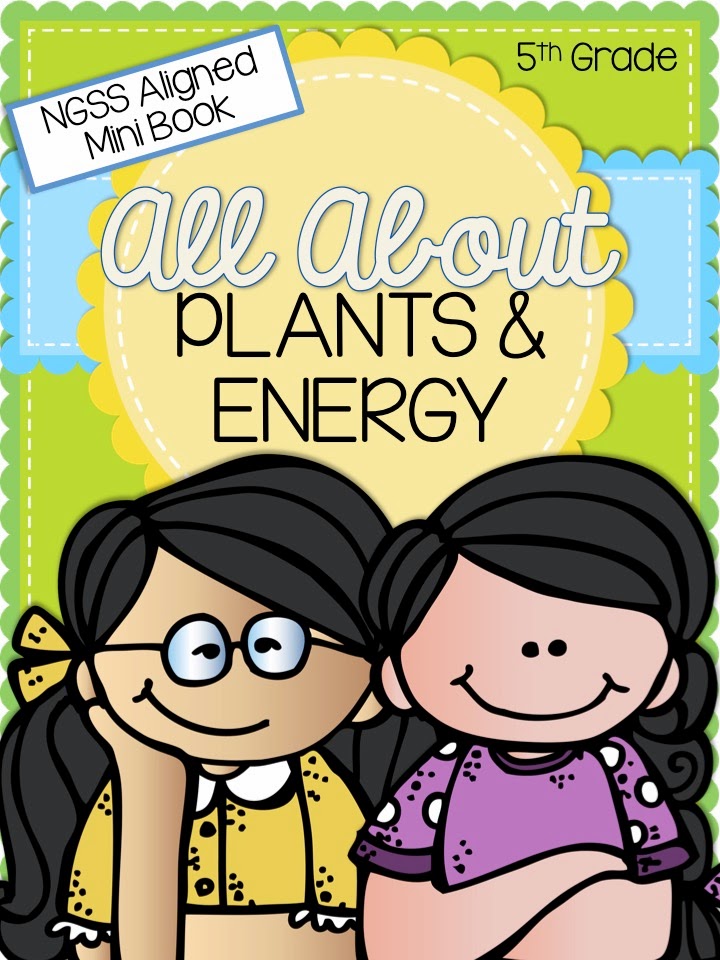
NGSS Aligned Mini-Book-Plants & Energy

I am super excited to tell you about the latest product that I uploaded.  I spent weeks working on this and it's finally ready for my store!

The new science standards can be pretty confusing.  I read, reread, and read them again to figure out what the primary goals were in the Next Generation Science Standards (NGSS).  I finally decided on one main point and created this book for teaching it.

One main thing that students are expected to do in 5th grade, according to NGSS, is "develop a model to describe the movement of matter among plants, animals, decomposers, and the environment" (5-LS2-1).  This standard focuses primarily on that food, for any kind of animal, can be traced back to plants.

I developed a 20 page mini-book with some interactive elements to support students in their understanding of this concept.  The book is created in a half-page format so you can just print and cut it in half for two books.

I think that this book is interesting for all students, regardless of your use of NGSS.  I hope that you'll go to my store to check it out!!


Friday, February 20, 2015

Freebie Friday - Cell Phone Opinion Writing

I'm really excited about the product that I'm linking up today for Teaching Blog Addict's Freebie Friday!


For today only, I'm offering my newest product as a Featured Freebie!  I created this product because my product on School Uniforms is so popular.  I wanted to create another resource like it with a new topic.  Hence, cell phones!

You can check it out by clicking the cover image below and download it for free all day today (Friday, February 20, 2015).

This product supports students in writing down their thoughts while reading multiple accounts of the same topic.  It encourages them to use quotes and cite evidence and then turn their thoughts into a complete essay.  There are scaffolds to support students at each stage of the writing process, ranging from fill in the blank to completely open-ended writing.


If you download this product, please leave some positive feedback on it on my TeachersPayTeachers store!  It will go back to its regular price of $3.00 on Saturday.

:)


Monday, February 2, 2015

Making Inferences in 5th Grade

This morning, I made up a quick anchor chart for making inferences.  Usually, I look all through Pinterest, search hashtags, etc. for the best anchor chart to fit my needs and then I adapt it for my teaching needs.  Today, I just went with the info that I had and put it all into a chart.  I'm not so thrilled with this chart.  In fact, I think that I want to type up some inference posters that are nicer, or make two charts.  One chart would include the definitions and the other chart would include steps for making an inference with examples of good inferences that we've made throughout the unit in class for reference.  Maybe that should be three charts?  Sometimes I just feel like we're on chart overload!

Anyway, here's the chart that resulted.  It's so hard to teach inferences!  What're your best tricks for teaching inferences?  I'd love to hear what everyone does with this complex task!